
ReSound vs. Signia Hearing Aids: Which Is Right for You?
TL;DR: ReSound and Signia are both genuinely great, which is an annoying thing to read when you just want someone to pick one. So here’s

Updated February, 2026
Your hearing aids stopped working this morning. Sound muffled. Feedback whistling. Complete silence.
You checked the battery. Turned them off and on. Nothing. Then you spotted it—a tiny glob of earwax blocking the sound port.
Research from USC shows that adults who regularly wear hearing aids have a 24% lower mortality risk than those with untreated hearing loss. But here’s the catch: devices only deliver benefits when they’re actually working. Most hearing aid failures trace back to earwax buildup, moisture damage, or improper storage—not manufacturing defects.
The solution takes five minutes per day. That’s less time than brushing your teeth, and it’s the difference between devices lasting three years versus seven.
We work with major brands including Phonak, Starkey, ReSound, Signia, and Oticon. Every manufacturer agrees: daily cleaning prevents 90% of repairs. Our licensed audiologist Jaime puts it simply: “Caring for your hearing aids is the key to having them work well for your long-term. If you want personalized tips, please schedule a service appointment and we’re happy to guide you.”
Whether you bought from us or another provider, schedule that appointment. Professional guidance prevents costly mistakes. Ready to explore premium hearing aids with proper care support? Let’s start with cleaning hearing aids the right way.
Clean devices deliver crisp sound. Dirty devices create muffled audio, feedback whistling, and eventual silence.
Your ears produce protective earwax naturally. That same wax becomes your hearing aid’s biggest enemy. It accumulates on microphone ports, sound outlets, and receivers—blocking the very sounds you need to hear. Moisture from sweat, humidity, and environmental exposure damages delicate electronics. Debris and dead skin cells clog vents and controls.
The cumulative effect? Degraded sound quality first, then complete device failure.
Day one: Crystal clear audio and perfect comprehension.
Week two: Slight muffling in certain frequencies.
Month three: Noticeable feedback whistling and reduced clarity.
Month six: Constant adjustments needed, words harder to distinguish.
Year one: Significant sound degradation or complete failure in one ear.
Most users don’t notice gradual decline until damage is severe. Daily cleaning maintains peak performance throughout device lifespan.
Today’s advanced hearing aids pack incredible features into tiny devices:
These components generate heat during use. Heat plus humidity equals condensation. Condensation plus earwax equals expensive repairs.
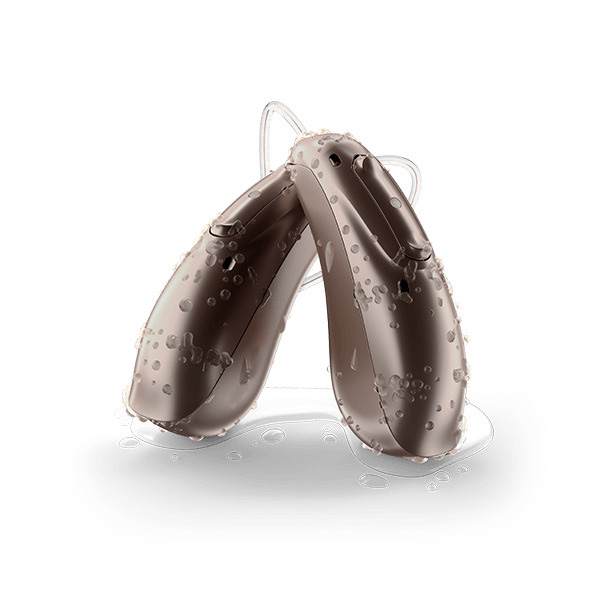
Phonak’s latest models feature IP68 water resistance. Starkey’s Omega AI includes advanced protective coatings. ReSound Vivia uses nano-coating technology. Signia’s Pure Charge&Go IX incorporates sealed electronics. But none of these protections eliminate the need for daily maintenance.
Technology helps. Cleaning habits matter more. Understanding hearing aid benefits starts with keeping them functional.
Professional repairs average $200-$400 per incident. Receiver replacements cost $150-$300. Complete device replacement? $2,000-$6,000 per pair.
Daily cleaning costs zero dollars. Five minutes prevents hundreds in repairs.
Well-maintained devices serve users five to seven years on average. Neglected devices fail within three years or less. That difference matters when you’ve invested thousands in premium technology.

Household items damage hearing aids. Paper towels scratch surfaces. Cotton swabs push debris deeper. Regular tissues leave lint behind.
Professional cleaning hearing aids requires specific tools designed for delicate electronics. We include comprehensive cleaning kits with every hearing aid purchase. If you don’t see specific tools in our accessories shop, call our experts and we’ll order exactly what you need.
Soft-bristle brush: Gently sweeps away dried wax and debris from microphone ports, sound outlets, and crevices. Never use toothbrushes—bristles are too stiff and harbor bacteria.
Wax pick or loop: Removes stubborn earwax from sound tubes and receivers. The loop end extracts without pushing wax deeper.
Microfiber cloth: Wipes surfaces without scratching. Must be clean and dry—never use damp cloths on electronics.
Wax guards/filters: First defense against earwax entering receivers. Require monthly replacement in most models. Phonak uses CeruShield filters. Starkey includes proprietary wax guards. ReSound and Signia use brand-specific systems.
Multi-tool: Combines brush, pick, and sometimes magnet for battery handling in one compact device.
Drying container: Stores devices overnight while removing moisture. Silica gel packets absorb humidity passively.
Electronic dehumidifier: Advanced option using gentle heat and airflow to remove moisture actively. USB-powered units run overnight safely.
Magnifying glass: Helps inspect tiny components for debris or damage. Particularly useful for users with vision challenges.
Forced-air blower: Removes loose particles without physical contact. Available in our accessories shop or by special order.
Avoid these common household items that cause damage:
When in doubt, stick to dry cleaning methods. Your hearing care provider can recommend specific products safe for your device model. Professional waterproof guidance explains what exposure is truly safe.
Consistency prevents problems. This routine works for all major brands—Phonak, Starkey, ReSound, Signia, and Oticon devices.
Step 1: Wipe Down (60 seconds)
Remove hearing aids before washing face or showering. Hold each device over a soft cloth to catch parts if dropped. Use a clean, dry microfiber cloth to wipe the entire surface. Pay special attention to areas that contact skin—behind-the-ear sections accumulate oils and sweat.
Step 2: Inspect Sound Ports (60 seconds)
Examine the sound outlet and microphone ports under good lighting. Look for visible earwax, debris, or moisture. Use the magnifying glass if needed. Starkey’s receivers have particularly small ports requiring close inspection. ReSound’s M&RIE receivers need checking on both the device and the in-ear component.
Step 3: Brush Away Debris (90 seconds)
Gently brush all openings, joints, and crevices. Hold the device with sound outlet facing down so debris falls away rather than into components. Brush the microphone opening carefully—too much pressure damages sensitive components. Clean battery contacts or charging points on rechargeable models.
Step 4: Extract Stubborn Wax (60 seconds)
Use the wax pick or loop tool to carefully remove any visible wax from sound tubes or receivers. Insert gently and twist—don’t push. Phonak’s SlimTip receivers need careful attention. Signia’s receivers use specific wax guard systems that pop out for replacement.
Step 5: Store Properly (30 seconds)
Open battery doors on battery-powered models to release moisture and prevent corrosion. Place devices in dehumidifying container or case. Position them securely so they won’t roll or fall. Rechargeable models go directly into charging cases.
Quick Check (30 seconds)
Remove devices from storage. Inspect for any overnight issues. Check that wax guards are secure. Ensure battery contacts or charging points look clean. Insert fresh batteries if using disposable power. Place devices in ears and verify sound quality before leaving home.
Replace wax guards: Most manufacturers recommend weekly to monthly replacement depending on wax production. Phonak’s CeruShield filters last about 30 days. Starkey’s guards may need weekly changes for heavy wax producers. Detailed cleaning procedures explain brand-specific systems.
Deep clean receivers: Remove receivers from devices (RIC/RITE styles only). Carefully clean the receiver shell and check the wax guard. Replace dome tips if they show wear or discoloration.
Clean charging contacts: For rechargeable models, use a dry cotton swab to clean charging points on both devices and charging case. Buildup prevents proper charging.
Inspect tubing: For BTE models with tubes, check for cracks, discoloration, or moisture buildup. Replace tubes every 3-6 months as needed.
Battery compartment: For battery-powered models, use forced-air blower to remove any dust or debris from battery compartment.
Humidity, sweat, and environmental moisture cause more failures than any other factor. Electronics and water create a destructive combination. Modern devices include moisture protection, but they’re not invincible.
Rechargeable batteries generate heat during charging cycles. Bluetooth streaming creates warmth during use. Processing chips work constantly to analyze sound. All of this generates condensation inside sealed cases.
Water damage manifests gradually:
After exercise: Wipe devices immediately with dry cloth. Don’t let sweat sit on components. Remove and dry if exercising intensely.
In humid climates: Use electronic dehumidifiers nightly instead of basic storage cases. Consider rotating between two pairs if humidity is severe.
During rain: While Phonak devices carry IP68 ratings and many Starkey models resist moisture well, remove devices during heavy downpours. Light rain exposure is typically fine for IP68-rated devices.
Before water activities: Always remove before showering, swimming, or bathing. Even waterproof-rated devices aren’t designed for submersion. Waterproof capabilities have limits worth understanding.
At night: Never store in bathrooms where shower steam accumulates. Keep away from windows with condensation. Open battery doors on battery-powered models to allow internal moisture to evaporate.
Electronic drying stations: Gentle heating elements and airflow remove moisture safely without damaging electronics. USB-powered devices run overnight while you sleep. Compatible with all major brands including Phonak, Starkey, ReSound, Signia, and Oticon.
Desiccant containers: Moisture-absorbing packets or beads draw humidity from devices passively. Less effective than electronic versions but better than nothing. Replace desiccant when it changes color indicating saturation.
UV sanitizing dryers: Combine moisture removal with antibacterial UV light. Kill germs while drying. Particularly useful for ITE or ITC custom devices that sit entirely in ear canal.
Advanced models with Bluetooth, rechargeable batteries, and AI processing generate more internal heat during use. These components contain more moisture-sensitive electronics requiring diligent overnight drying.
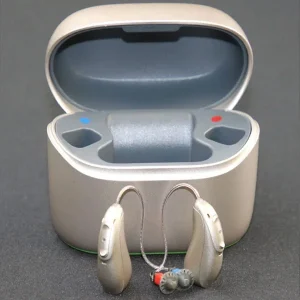
Proper storage protects investments. Improper storage causes avoidable failures.
Best locations: Bedroom nightstand away from windows. Dedicated drawer in climate-controlled room. Protective case on dresser away from edges.
Avoid these spots: Bathrooms with humidity. Window sills with temperature fluctuations. Cars where heat and cold cycle dramatically. Direct sunlight causing plastic degradation. Near heating vents or air conditioners.
Extreme temperatures damage batteries and electronics. Phonak, Starkey, ReSound, Signia, and Oticon devices tolerate normal room temperatures well. Problems arise with extreme exposure:
Hearing aids disappear easily. They’re small, expensive, and often removed in habitual locations.
At home: Use consistent storage spot. Consider locking drawer if others access your space. Keep away from counter edges where they roll off.
When traveling: Pack in hard-shell case inside carry-on luggage. Never check expensive devices. Bring backup batteries or charging cable in separate bag. Know your device model and serial numbers.
Pets are threats: Dogs chew hearing aids frequently. Cat
s knock them off surfaces. Birds are attracted to shiny objects. Store in pet-proof locations.
Problems arise even with careful maintenance. Knowing solutions saves service calls.
Cause: Wax blocking receiver, moisture in components, or depleted wax guard.
Solution: Check wax guard first—replace if clogged. Inspect sound outlet for visible wax and remove carefully. Use dehumidifier overnight to remove moisture. If problem persists, schedule professional service appointment with your provider (us or whoever sold you devices).
Cause: Wax creating sound interference, improper fit after cleaning, or displaced receiver.
Solution: Check vents and receivers for wax and clean as needed. Ensure device sits properly in ear—cleaning sometimes shifts position. Verify dome or custom mold hasn’t loosened. ReSound’s M&RIE receivers sometimes need repositioning after cleaning.
Cause: Moisture in battery compartment, corroded contacts, or charging failure.
Solution: For battery models, open battery door and use drying kit overnight. Clean contacts with dry cloth. Try fresh battery. For rechargeable models, clean charging contacts on both device and case. Try different outlet for charging case. Phonak and Starkey rechargeable models need clean contact points for proper charging.
Cause: Loose wax guard, moisture damage, or debris in controls.
Solution: Replace wax guard even if it looks clean. Use dehumidifier for several nights. Check volume and program controls for debris. Gently clean around all buttons or touchpads.
Cause: Wax buildup altered fit, cleaning displaced component, or dome needs replacement.
Solution: Ensure receiver or shell sits properly in ear canal. Check that wax removal didn’t change fit. Replace dome if discolored or deformed. Signia and Starkey devices with multiple dome sizes may need adjustment.
Cause: Moisture or wax damaging internal components beyond home repair.
Solution: Schedule professional service immediately. Explain what happened and what troubleshooting you attempted. Expected device lifespan varies, but sudden failure usually indicates repairable issues rather than end-of-life.
Different manufacturers incorporate unique technologies affecting care routines.
Phonak leads with IP68 water and dust resistance across flagship models. The Audéo Sphere Infinio Ultra withstands temporary water immersion and dust exposure. This doesn’t eliminate cleaning needs—it provides protection during accidental exposure.
CeruShield filters in Phonak receivers prevent wax from reaching delicate components. Replace monthly or when audio quality diminishes. The AutoSense OS 6.0 system automatically adjusts to environmental changes, but only when microphones and receivers stay clear.
Starkey’s Omega AI and Edge AI models include advanced nano-coating protecting circuit boards from moisture. The coating resists water intrusion but doesn’t prevent earwax accumulation in sound ports.
Starkey’s proprietary wax guard system pops out easily for replacement. The mRIC receivers in Omega AI models are particularly compact, requiring careful cleaning with fine-tip tools. Fall detection and health monitoring sensors require clean contacts for accurate readings.
ReSound Vivia features always-on Deep Neural Network processing—the smallest AI-powered hearing aid available. The microRIE design’s compact size means tiny components vulnerable to debris.
The M&RIE receiver option places an additional microphone inside your ear canal. This requires cleaning both the main device and the in-ear receiver component. ReSound’s IP68 rating provides moisture protection, but daily wiping prevents buildup.
Signia Pure Charge&Go IX BCT uses Bluetooth Classic for universal device compatibility. The multi-stream architecture processes sound through separate channels, but only when pathways remain clear.
Signia’s Own Voice Processing 2.0 requires clean microphones to properly distinguish your voice from environmental sounds. The RealTime Conversation Enhancement tracks multiple speakers—a feature compromised by wax-blocked ports.
Oticon Real processes sound to work with your brain’s natural hearing, not just amplify. The DNN-powered system analyzes acoustic environments, but requires clear microphone input.
Oticon’s Wind & Handling Stabilizer reduces disruptive sounds from wind and device handling. This feature needs clean microphones and vents to differentiate wind from speech effectively. The SuddenSound Stabilizer protects against loud noises—again, dependent on clear audio pathways.
Home cleaning handles daily maintenance. Professional cleaning addresses issues you can’t reach.
Licensed providers perform deep cleaning using specialized equipment. Ultrasonic cleaners remove debris from internal pathways. Vacuum systems extract wax from hard-to-reach areas. Testing equipment verifies all functions operate correctly.
Technicians inspect for:

We provide unlimited remote adjustments and troubleshooting throughout device ownership. Licensed hearing care providers diagnose issues through smartphone apps and video consultations. Many cleaning-related problems resolve with proper technique guidance—no shipping required.
If home cleaning causes accidental damage, our loss and damage protection covers repairs. We work directly with Phonak, Starkey, ReSound, Signia, and Oticon to coordinate warranty claims and technical support. Our welcome process explains how remote care works.
Schedule service appointments with whoever sold you devices. They have access to your specific programming, fitting history, and warranty coverage. Our team handles service for our customers. Your provider should offer similar support.
Numbers make the difference clear.
With daily cleaning:
Without consistent cleaning:
Consistent care saves thousands while maintaining premium sound quality throughout device lifespan.
Clean devices deliver life-altering benefits consistently:
Dirty devices create frustration:
Five minutes daily prevents all of this.
Different form factors require adapted techniques.
Receiver-in-canal designs place the speaker directly in your ear canal. This positioning maximizes sound quality but increases wax exposure.
Daily focus: Clean receiver thoroughly each night. Replace wax guards weekly to monthly. Check that receiver connects securely to main device. Inspect thin wire for damage or dirt buildup.
Common mistake: Pulling wire when removing from ear instead of grasping main device. This damages wire connections over time.
Behind-the-ear devices use tubes to channel sound into ear. Tubes accumulate moisture and wax internally.
Daily focus: Wipe tube exterior and check for moisture inside. Use tube cleaning tools weekly. Watch for discoloration indicating replacement needed.
Tube lifespan: Replace every 3-6 months depending on wax production and environmental exposure.
In-the-ear and in-the-canal devices sit entirely in ear cavity. They accumulate more wax than other styles.
Daily focus: Clean shell thoroughly including all vents and openings. These devices need most attention to wax management. Consider professional cleanings every 3-4 months.
Advantage: Fewer electronic components vulnerable to moisture.
Signia Silk and other tiny CIC models hide deep in canal but have significant limitations.
Daily focus: Careful cleaning with fine-tip tools. These devices lack water resistance found in larger models. Extra caution with moisture exposure.
Reality check: More cleaning time required. No Bluetooth streaming. Limited features. Consider whether invisibility outweighs practical disadvantages.
Consistency requires planning. Here’s a practical system:
We include everything needed for proper care with every hearing aid purchase. Our comprehensive approach ensures devices perform optimally throughout their lifespan.
Every customer receives:
Cleaning questions arise months or years after purchase. We provide:
Some online retailers ship devices without proper support infrastructure. Others charge for basic service appointments. Bare-bones sellers provide no ongoing care guidance.
We believe premium devices deserve premium support. Helping customers maintain hearing aids properly protects their investment and ensures consistent performance. Our licensed professionals have decades of combined experience with Phonak, Starkey, ReSound, Signia, and Oticon devices.
Five minutes creates years of difference. The routine becomes automatic within two weeks—just like brushing teeth.
Begin tonight:
Gather your cleaning tools. Set up your dehumidifying storage system. Establish your nightstand storage spot. Create calendar reminders for weekly and monthly tasks.
Make cleaning hearing aids as habitual as charging your phone. The payoff includes crystal-clear sound, fewer repairs, extended device life, and consistent hearing aid benefits that improve quality of life.
Questions about care techniques for your specific devices? Need replacement cleaning supplies? Unsure whether your routine is correct?
Contact our licensed audiologists today. Our experts provide personalized guidance for Phonak, Starkey, ReSound, Signia, and Oticon devices. Whether you’re our customer or purchased elsewhere, we’ll help you protect your investment and maintain optimal sound quality.
Remember Jaime’s advice: proper care ensures long-term performance. Schedule your service appointment for professional guidance on maintaining your specific devices.
Your hearing aids represent a significant investment in better hearing, improved communication, and enhanced quality of life. Five minutes daily protects that investment for years to come. Start your cleaning routine tonight.
Clean your hearing aids every evening before bed. This daily routine takes about five minutes and prevents most problems. Weekly deep cleaning adds another 10 minutes. Monthly maintenance takes 15 minutes. Schedule professional service quarterly for comprehensive care.
Never use water on hearing aids unless your specific model has manufacturer-approved waterproof ratings. Even IP68-rated devices from Phonak or Starkey should only be wiped with dry cloths. Water damages electronics, corrodes contacts, and voids warranties. Stick to dry cleaning methods.
Sound quality degrades gradually through muffled audio and feedback whistling. Wax blocks receivers causing complete silence. Moisture corrodes electronics requiring expensive repairs. Devices fail prematurely—averaging three years instead of five to seven. Regular cleaning prevents all of these problems.
Replace wax guards when sound becomes muffled despite cleaning, typically every 1-4 weeks depending on earwax production. Some users need weekly replacements; others go monthly. Keep extras on hand and change proactively rather than waiting for problems.
No. Alcohol wipes damage protective coatings, discolor plastic shells, and degrade rubber seals. They also void manufacturer warranties. Use only dry microfiber cloths for daily cleaning. Electronic dehumidifiers with UV sanitizing features safely disinfect devices without chemical damage.
Remove devices immediately and open battery compartments (if applicable). Place in electronic dehumidifier overnight. If problem persists after 2-3 nights of drying, schedule professional service with your provider. Moisture damage worsens rapidly without proper drying.
Basic cleaning techniques work across all major brands including Phonak, Starkey, ReSound, Signia, and Oticon. Specific wax guard systems vary by manufacturer. Receiver designs differ slightly. Your provider supplies brand-specific tools and instructions with purchase. Our team offers guidance for all brands.
Bluetooth hearing aids clean the same as standard models—daily wiping, brushing, and dehumidifying. Charging contacts need weekly cleaning with dry cotton swabs. Never use water near charging points. Bluetooth components generate extra heat, making nightly dehumidification even more important.
TL;DR: ReSound and Signia are both genuinely great, which is an annoying thing to read when you just want someone to pick one. So here’s

TL;DR: Short answer: no. Slightly longer answer: sleeping with your hearing aids in is hard on your devices, not great for your ears, and probably

TL;DR: Costco sells legitimate prescription hearing aids at genuinely low prices. The catch? A lineup that’s a generation behind, no online purchasing, and a support

TL;DR: Hearing loss doesn’t wait for retirement. The best hearing aids for young adults combine discreet design, seamless Bluetooth streaming, and serious AI performance, so